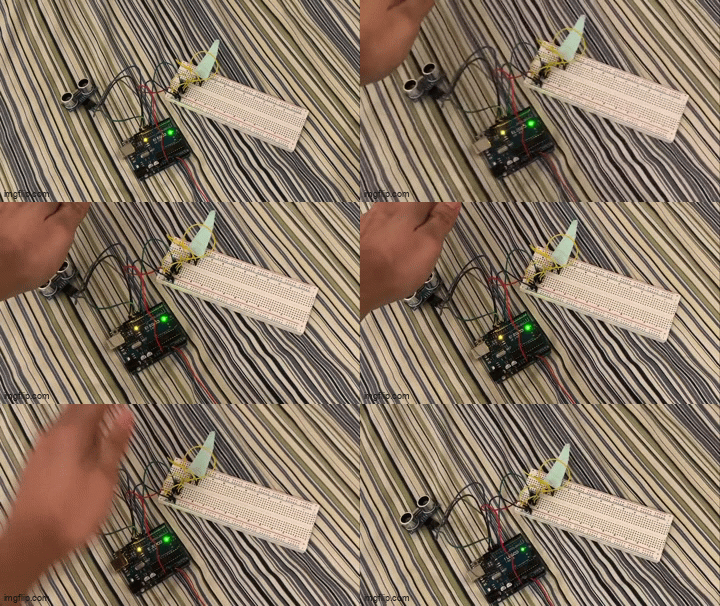
Demo of the sensor reacting to a nearby object (my hand) when it comes within ten inches. Although this doesn't show the sound of the buzzer, here's a link to a video of the same demo: Sensor video demo
Demo of the sensor reacting to a nearby object (my hand) when it comes within ten inches. Although this doesn't show the sound of the buzzer, here's a link to a video of the same demo: Sensor video demo
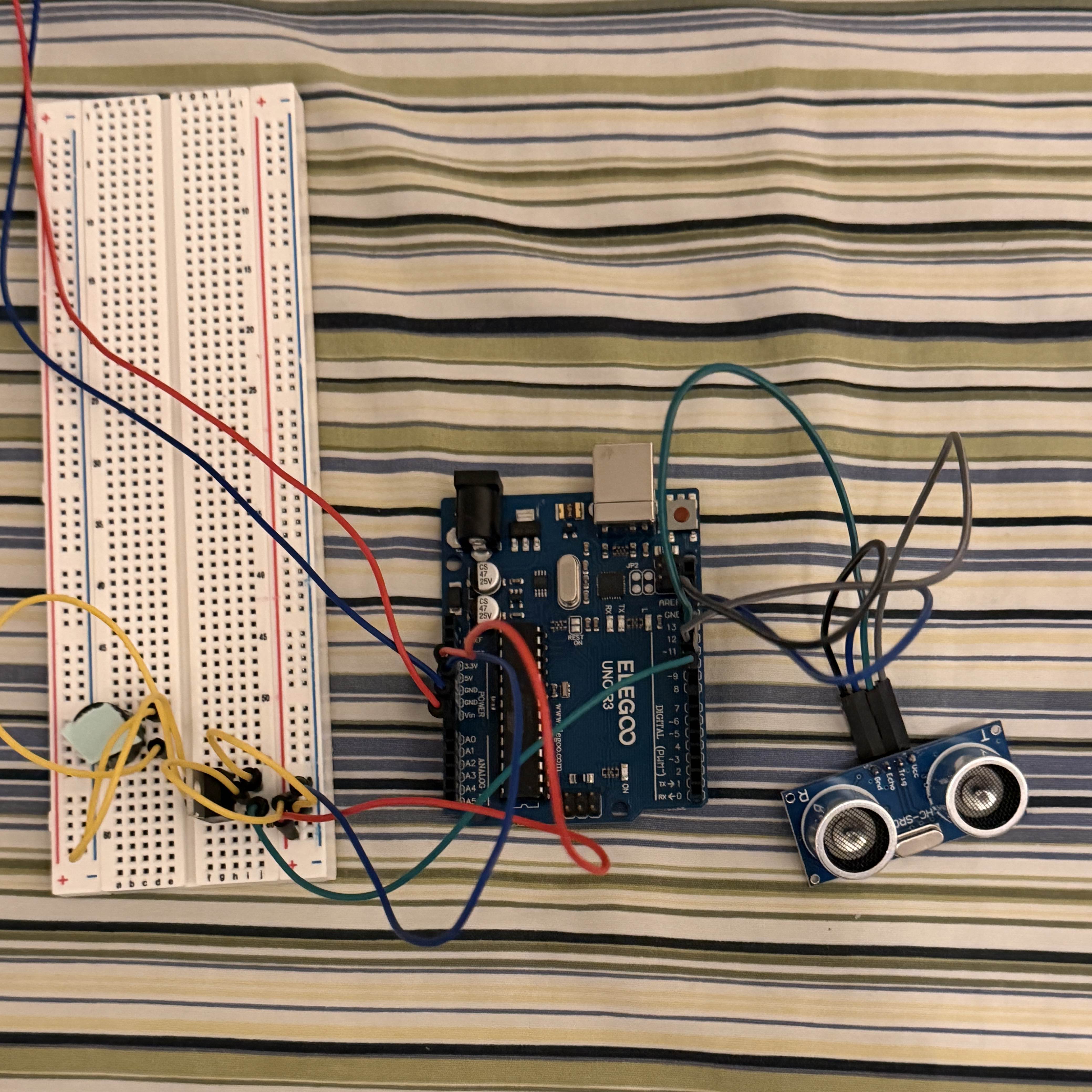 Picture of my circuit. The ultrasonic sensor measures the distance of whatever is in
front of it, and outputs the delay between its outgoing ping and the return echo in
milliseconds. Using the speed of sound, this duration can be converted into a distance
which is used to activate the buzzer. The buzzer pitch is controlled by a transistor,
separately from the constant 5V power supply.
Picture of my circuit. The ultrasonic sensor measures the distance of whatever is in
front of it, and outputs the delay between its outgoing ping and the return echo in
milliseconds. Using the speed of sound, this duration can be converted into a distance
which is used to activate the buzzer. The buzzer pitch is controlled by a transistor,
separately from the constant 5V power supply.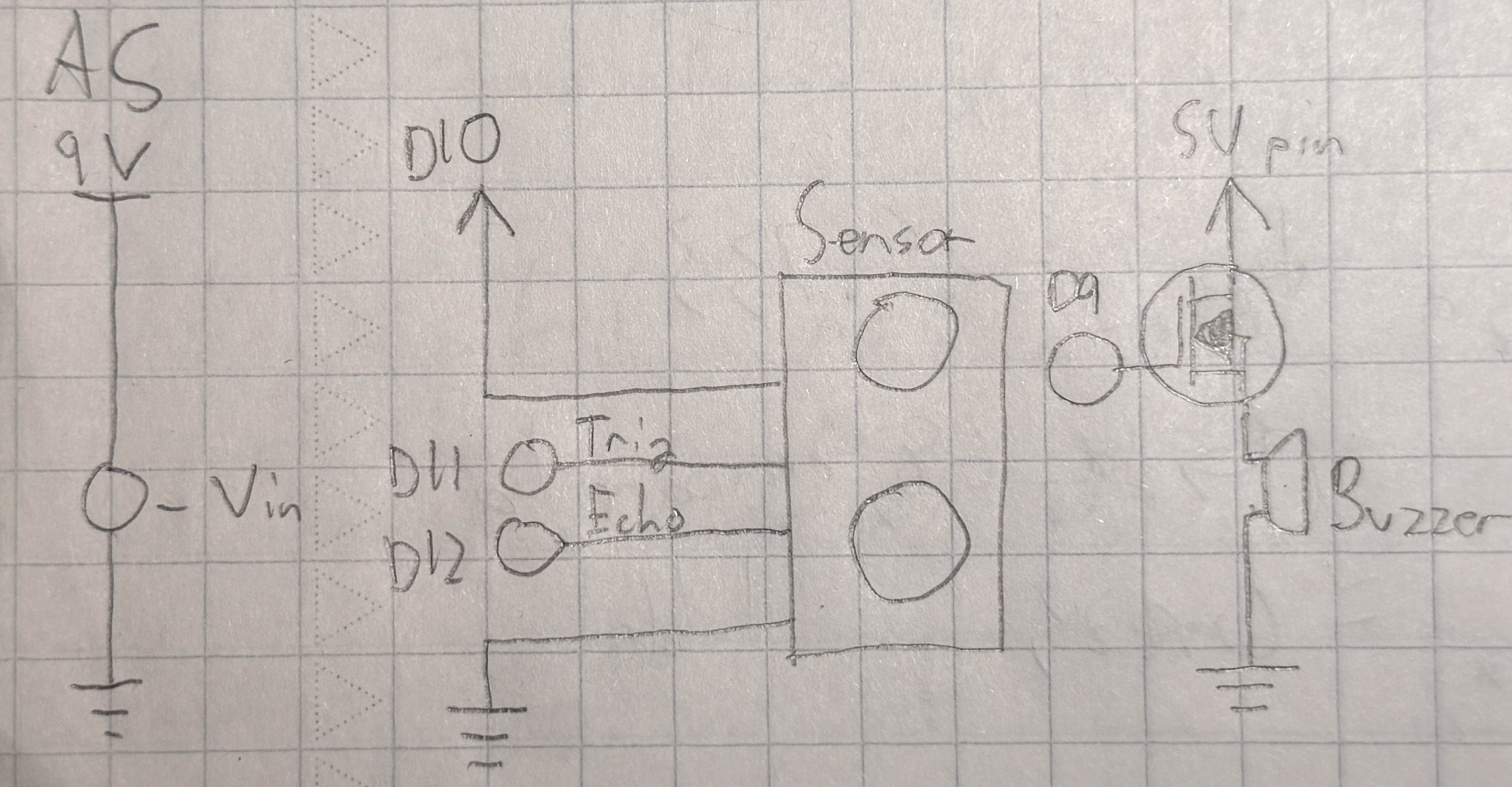 This diagram shows the three parts of my circuit: the 9V power source connected to
the Vin pin, the ultrasonic sensor, and the transistor-controlled buzzer. The specific
transistor used in this circuit has a maximum current of around 30A, which is much
higher than any possible current from the Arduino (measured in mA). In my circuit,
the transistor's role is more to control the buzzer instead of handing a significantly
higher load power.
This diagram shows the three parts of my circuit: the 9V power source connected to
the Vin pin, the ultrasonic sensor, and the transistor-controlled buzzer. The specific
transistor used in this circuit has a maximum current of around 30A, which is much
higher than any possible current from the Arduino (measured in mA). In my circuit,
the transistor's role is more to control the buzzer instead of handing a significantly
higher load power.
    // Uses an ultrasonic sensor to measure distance and changes the pitch of an active buzzer when
    // a distance of 10 inches or less is detected.
    // Uses some code from the built-in Ping example.

    const int buzzer = 9; // Identify buzzer pin
    const int sensorPower = 10; // Identify sensor power pin
    const int trig = 11; // Identify sensor "trig" pin
    const int echo = 12; // Identify sensor "echo" pin

    void setup() {
        pinMode(buzzer, OUTPUT); // Set buzzer pin to output
        pinMode(trig, OUTPUT); // Set trig pin to output (sending signals)
        pinMode(echo, INPUT); // Set echo pin to input (receiving signals)
        pinMode(sensorPower, OUTPUT); // Set sensor power pin to output
        digitalWrite(sensorPower, HIGH); // Output power to ultrasonic sensor
    }

    void loop() {
        long duration, inches; // Set up variables for measurements
        digitalWrite(trig, LOW); // Reset the sensor ping
        delay(5); // Wait 5 ms
        digitalWrite(trig, HIGH); // Trigger the sensor to send a ping
        delay(5); // Wait 5 ms
        digitalWrite(trig, LOW); // Deactivate the sensor

        duration = pulseIn(echo, HIGH); // Read the sensor output
        inches = microsecondsToInches(duration); // Convert duration to distance

        if (inches < 10L) { // If the measured distance is less than 10 ms
            digitalWrite(buzzer, LOW); // Change the buzzer pitch
        }

    delay(490); // Wait 490 ms
    digitalWrite(buzzer, HIGH); // Reset the buzzer pitch
    }

    // Converts the microsecond delay between the ultrasonic sensor's ping and the return echo to
    // a distance in inches.
    // Parameter: long microseconds: Duration from the initial sensor ping to the return echo
    // Returns a long value for distance in inches
    long microsecondsToInches(long duration) {
        return duration / 74 / 2; // Convert the duration to distance
    }
2. Schematic:
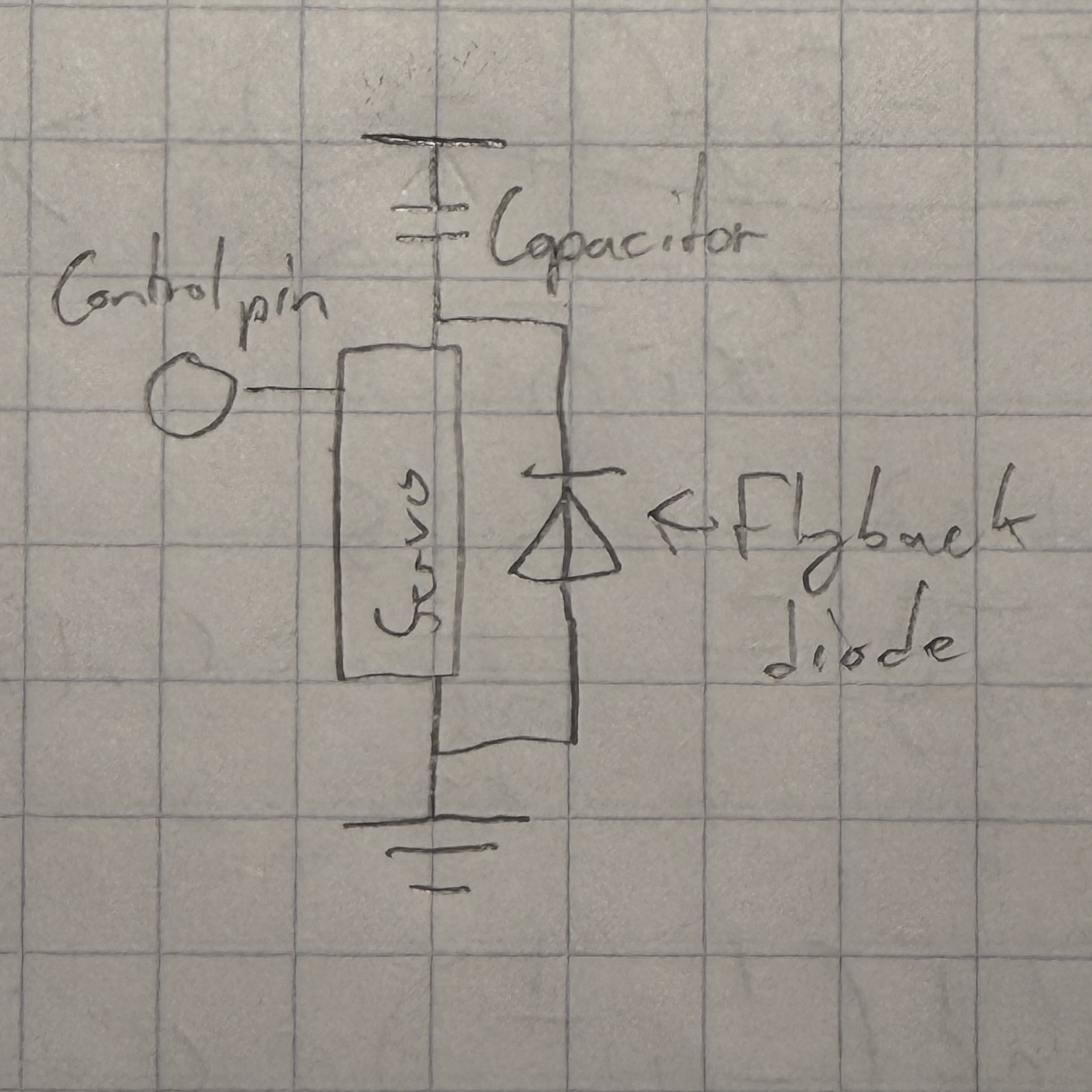
Parts:
3. Schematic:
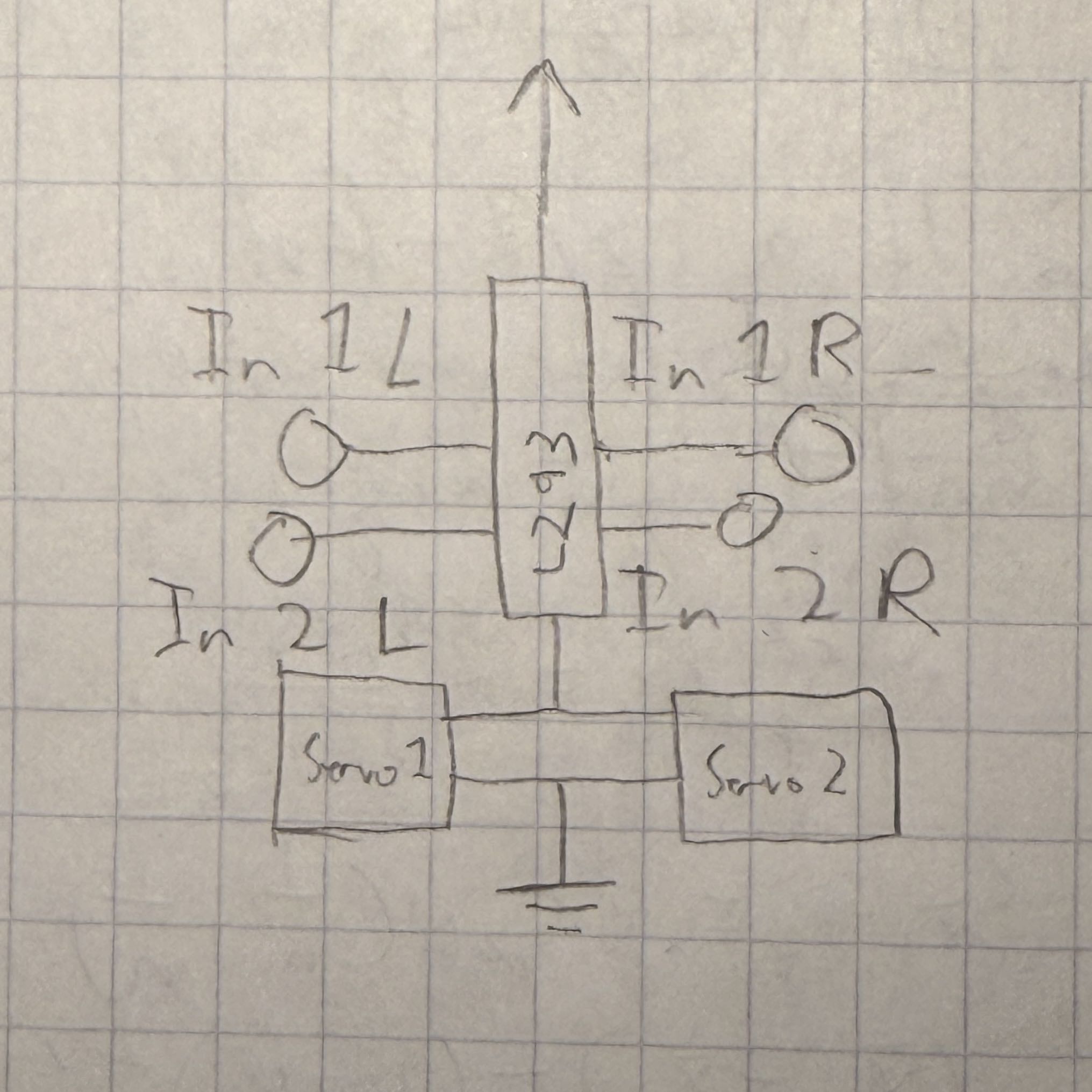
The Arduino controls the L293 chip's In1 and In2 pins. Here's example code for
moving the motors in different directions:
    // Initialize pins:
    Assign pins for In 1/2 L/R

    // Both motors stopped:
    All pins off
    Wait

    // Both motors forwards:
    In1L/R on, In2L/R off
    Wait

    // Both motors backwards:
    In1L/R off, In2L/R on
    Wait

    // Motors moving in different directions:
    In1L on, In2L off
    In1R off, In2R on
    Wait
    In1L off, In2L on
    In1R on, In2R off
    Wait

    // Stop both motors again:
    All pins off
    Wait
4. I did not use any AI tools while completing this assignment.